OilTrails Navigation - Oilfield Navigation Built for LSD and NTS Locations

Oilfield Toolkit

Oilfield Navigation Built for LSD & NTS Locations

Search Legal Land Description locations, plan field routes across oilfield roads, and share clear directions between office teams and crews in the field. OilTrails Navigation is designed around real workflows for dispatch, planning, and day-to-day operations in Western Canada.

  • LSD & NTS Lookup
  • NTS Locator
  • Oilfield Route Planner
  • Alberta, Saskatchewan & BC
OilTrails Navigation interface showing map route, waypoint panel, and LSD search controls

Interactive Feature Map

Explore the Navigation Workspace

Hover a feature on desktop or tap on mobile to see what each area of OilTrails Navigation does in daily office and field workflows.

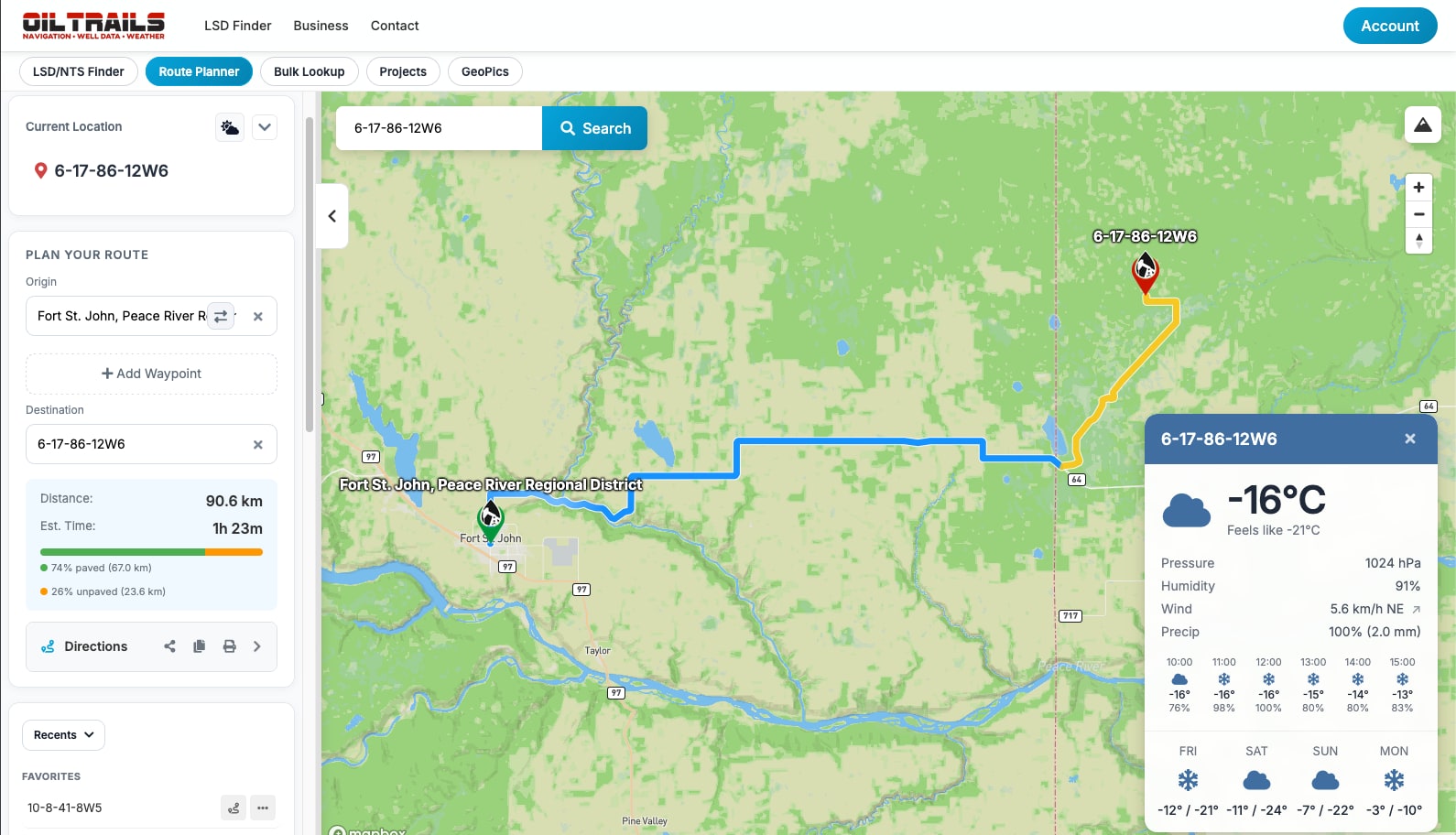
OilTrails Navigation full web interface with map, route panel, weather card, and map controls

Quick Tool Preview

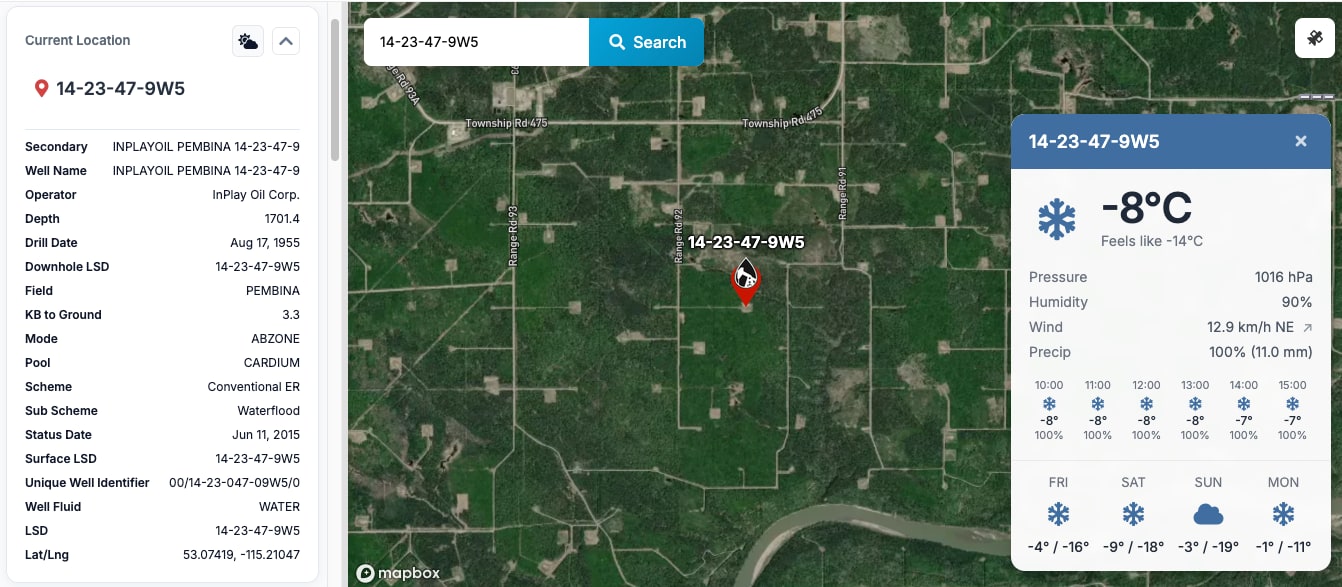
Search Oilfield Locations Instantly

The tool was built to reduce search friction for common field inputs. Instead of switching tools, your team can enter an LSD, NTS, town name, or address in one flow and move directly into route planning. This keeps dispatch and field users on the same page and shortens handoff time.

For new users, this creates a simple starting point: enter the location format you already have and let the map workflow carry the rest. For experienced users, it supports faster task completion by reducing repetitive field entry and limiting context switching between separate lookup apps.

Search LSD, NTS, Address or Town
  • 13-24-045-12W4
  • 10-32-088-08W6
  • Grande Prairie
  • NTS B-12-K
Open Full Navigation Tool
LSD lookup interface on satellite map in OilTrails Navigation

Route Planning

Route Planning Built for Field Work

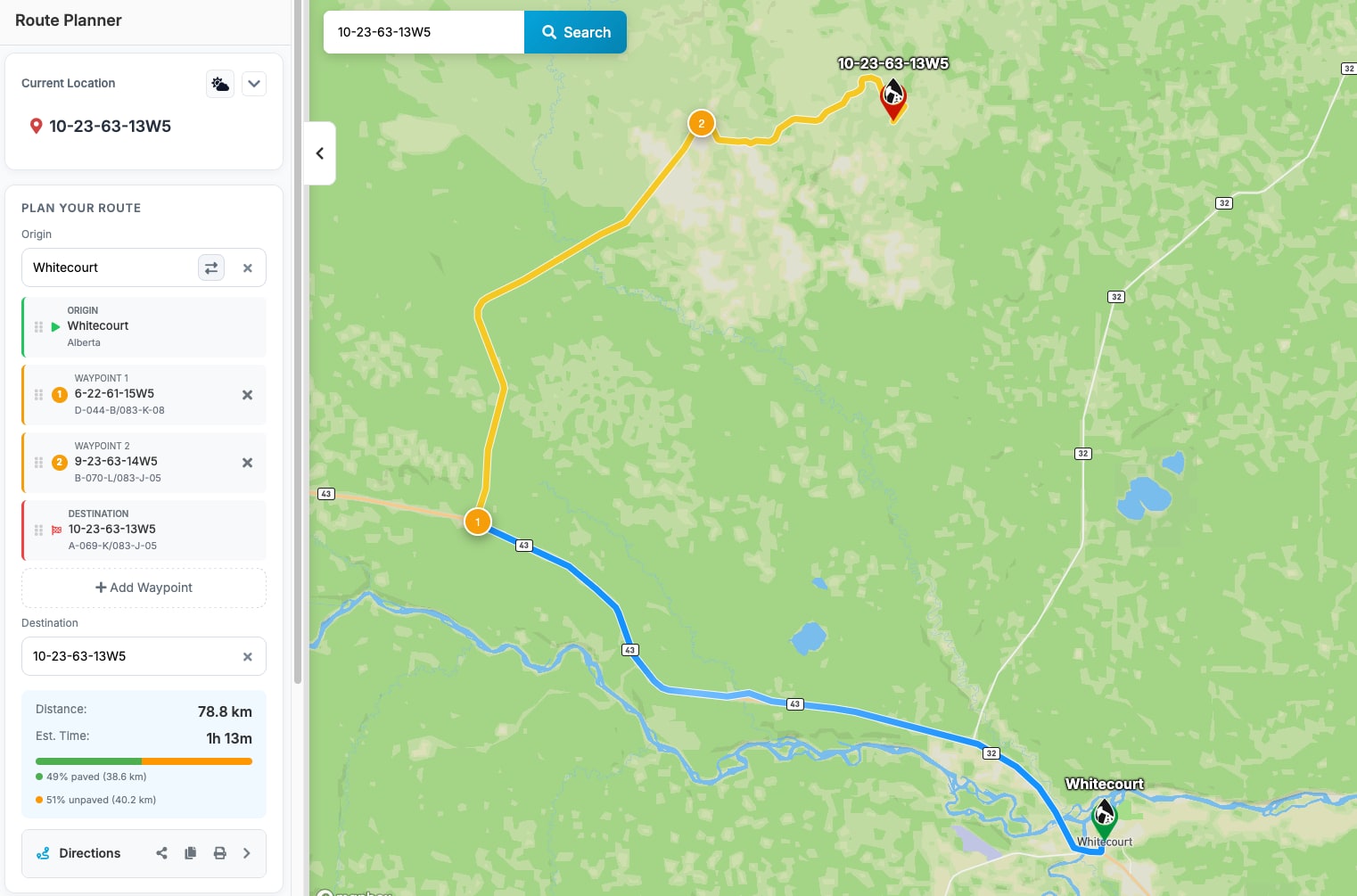
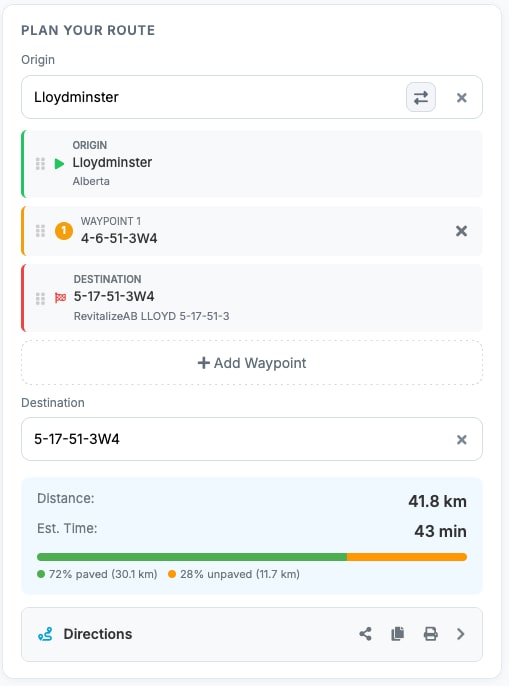
OilTrails is an oilfield route planner, not a generic driving map. Teams can plan trips from Legal Land Description entries, NTS coordinates, towns, addresses, and map pins in one route workflow. That means fewer separate tools, less manual cleanup, and a faster path from planning to movement.

With an interface built for practical routing, users can build routes with several stops, adjust order as job priorities change, and keep route intent visible for anyone taking over the assignment.

The result is cleaner planning communication. Teams can see route intent, waypoint order, and destination context before tires hit the road, which helps reduce re-routing and supports better schedule predictability for active service days.

  • Search by LSD, NTS, address, or town
  • Flip origin and destination instantly
  • Drag-and-drop waypoint ordering
  • Pin-drop routing anywhere on the map
  • Reliable routing on rural oilfield roads
Oilfield route planner map with multiple waypoints and route controls
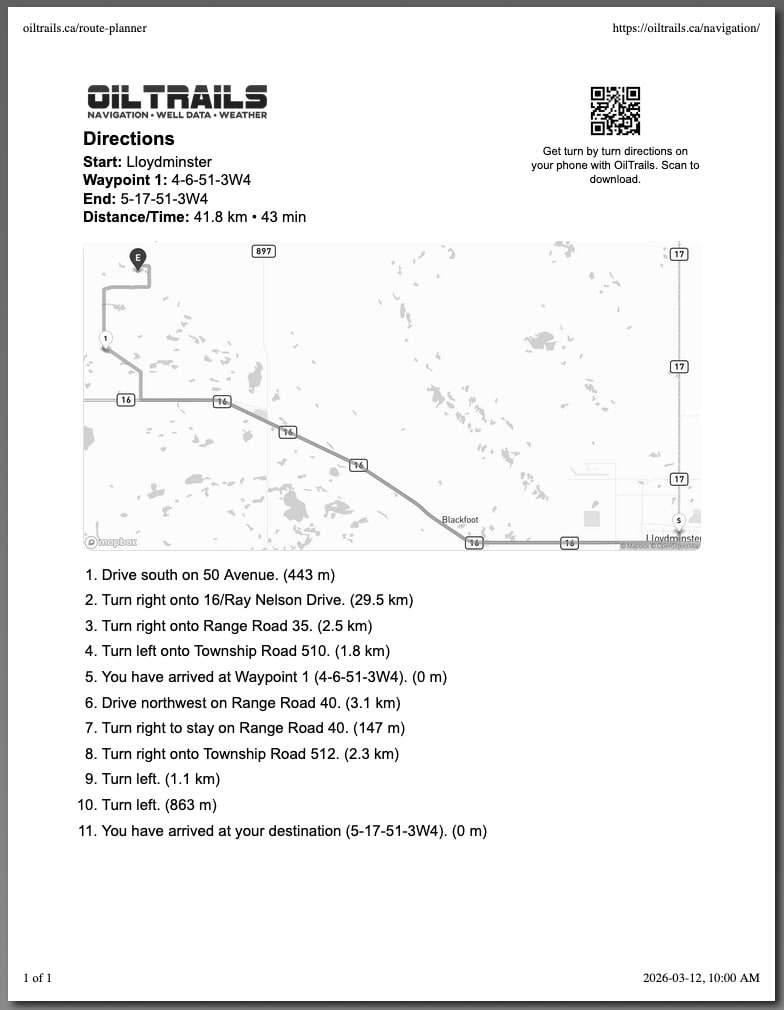
Printable route directions with QR handoff for field navigation

Team Collaboration

Built for the Office and the Field

Dispatchers and planners need fast route prep. Field teams need clean handoff and clear navigation context. OilTrails Navigation connects those needs by supporting project-based organization, shareable route context, and handoff paths that work in desktop and mobile workflows.

  • Project-based route planning
  • Shared locations and routes
  • QR code mobile handoff
  • Print-friendly directions
  • Office-to-field workflow support

This is especially useful when one person plans and another drives. Instead of rewriting notes or re-entering destinations, crews can receive route context in a format they can open immediately.

In practice, that lowers coordination overhead. Dispatch can standardize route handoff while field users can focus on driving and site tasks rather than rebuilding route inputs from text messages or call notes.

Need a faster handoff from dispatch to field?

Launch OilTrails Navigation and send route-ready directions in minutes.

Surface-Aware Navigation

Understand the Roads Before You Drive

Oilfield navigation decisions are not only about distance. Surface conditions affect timing, vehicle choice, and travel risk. OilTrails includes a surface-aware navigation view so teams can see route composition before they leave.

  • Surface breakdown along the route
  • Visual surface coloring
  • Surface gradients by segment
  • Unknown road detection

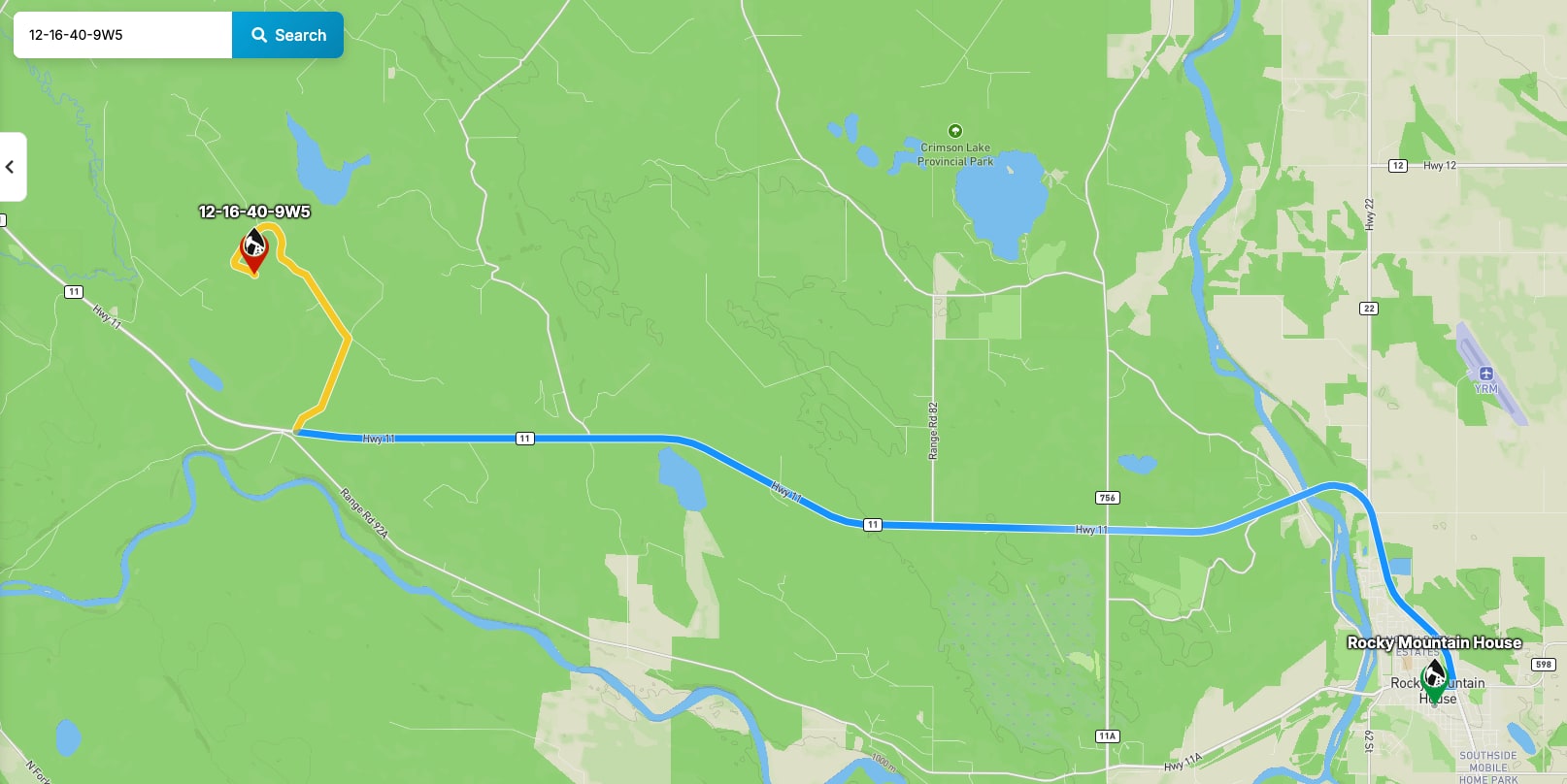
Example legend: Black = pavement, Brown = gravel, Grey = unknown. This gives planners and drivers a shared expectation of route conditions.

Route visualization with road surface coloring for oilfield navigation
OilTrails sidebar showing projects, saved locations, and route planning controls

Saved Places + Projects

Organize Locations by Project

Repeated jobs and recurring routes become easier when locations are organized by project context. OilTrails lets users keep favorites, review recent location history, and switch between projects quickly when priorities shift.

  • Favorite locations
  • Recent location history
  • Project-based planning
  • Fast project switching
  • Marker action menus for quick updates

For teams managing multiple pads, wells, or service areas, this structure reduces repetitive searching and keeps route decisions anchored to the right project.

Over time, organized projects become a practical knowledge base. Teams can reuse known locations, retain consistent naming, and speed up planning for repeat work across the same operating areas.

Run LSD lookup, route planning, and bulk mapping in one toolkit

Open the same Oilfield Navigation workspace your office and field teams can both use.

GeoPics photo integration for location-based field documentation

GeoPics Integration

GeoPics Integrated Into Planning

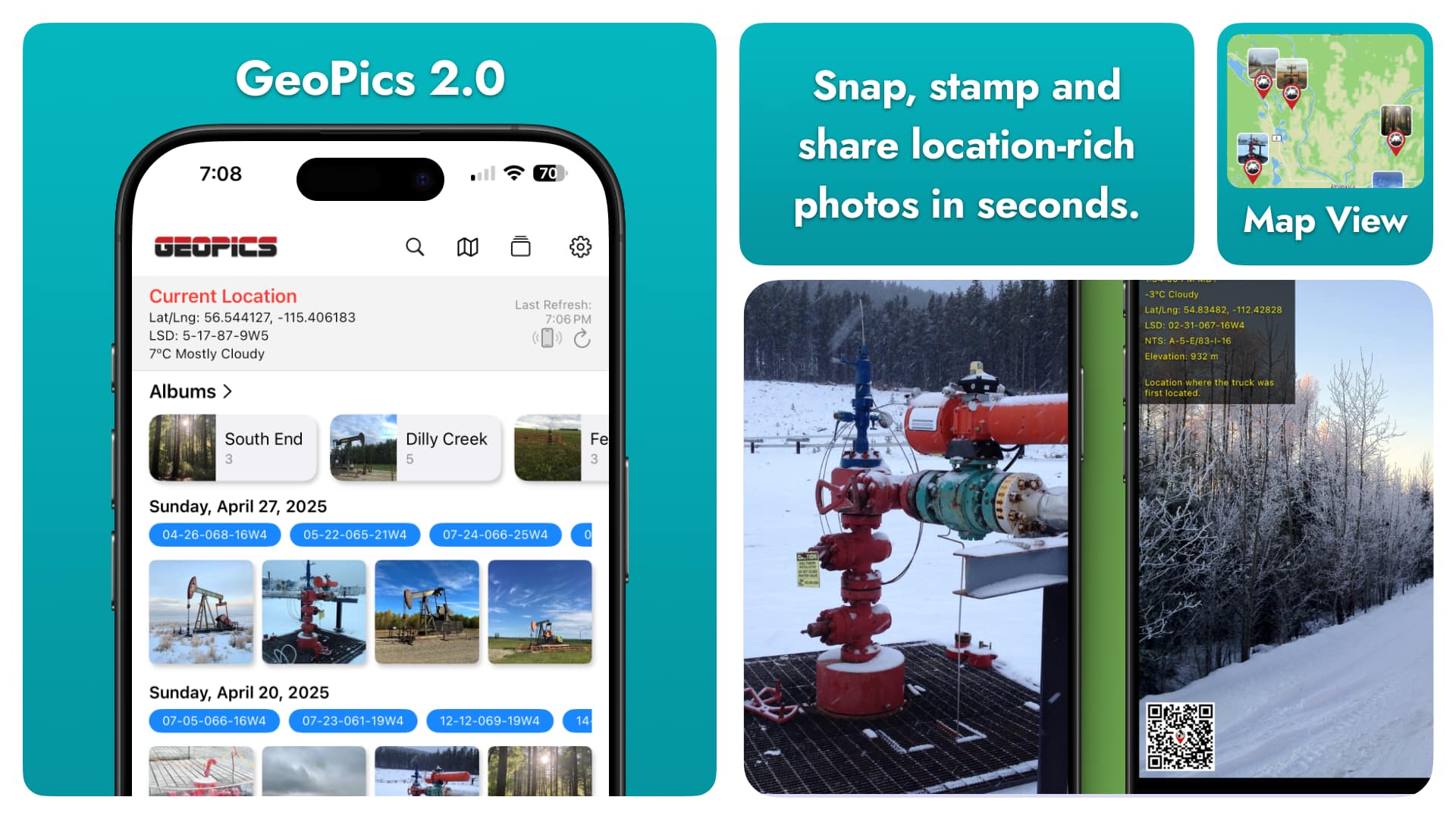
Location-based photo context helps teams validate site conditions and communicate clearly across shifts. OilTrails integrates GeoPics into planning workflows so teams can keep visual records linked to location data.

  • Browse photos by location
  • Share GeoPics with projects
  • Maintain location context
  • Organize field documentation

This keeps operational notes, visual records, and route decisions connected inside one planning environment.

OilTrails App Integration

Connected to the OilTrails App Your Team Already Uses

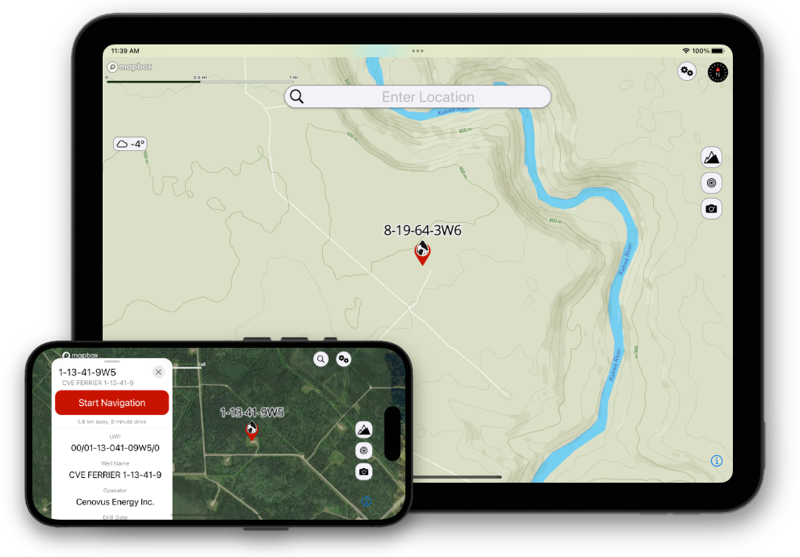
OilTrails has become an industry leader for oilfield navigation and offline LSD and NTS lookups. OilTrails Navigation extends that same ecosystem to the web so office planning and field execution stay aligned.

Locations can cross-sync between app and web workflows, teams can share locations and routes, and project context stays visible across users. This helps reduce duplicate entry and keeps route decisions connected to the same operational data your crews already rely on.

GeoPics also fits directly into this workflow: photos can be uploaded to team-shared projects so everyone can view location context online, not just on one device.

  • Industry-proven oilfield navigation and offline lookup foundation
  • Cross-sync between OilTrails app and OilTrails Navigation web workflows
  • Shared team locations and route collaboration
  • GeoPics uploaded to shared projects for online team visibility
OilTrails app on iPad and iPhone connected with web navigation workflows

LSD and NTS Locator

LSD and NTS Locator

OilTrails Navigation includes LSD and NTS locator tools built for oilfield work across Western Canada. If your team is searching for a practical LSD locator, a clear LSD map view, or an oilfield route planner that can move from lookup to route creation without tool switching, this page is designed to do that.

You can search Legal Land Description entries across Alberta, Saskatchewan, and British Columbia, convert LSD locations into map coordinates, and then move directly into route planning. That means fewer copy-paste errors, faster dispatch preparation, and more consistent instructions for field crews.

For users searching specifically for an Alberta LSD finder, a Saskatchewan LSD map, or a BC oilfield map, OilTrails Navigation brings those needs into a single workflow that combines location lookup, map context, and routing tools. The result is a navigation process that is easier to scale from one trip to many projects.

NTS Locator for BC and Western Canada Workflows

The built-in NTS locator is designed for teams that regularly work in NTS-indexed regions and need to validate location context before dispatching field crews. Instead of treating NTS lookup as a separate task, OilTrails allows NTS search to feed route planning and project organization in the same workspace.

Whether your team is looking for an LSD map tool, a reliable NTS locator, or a full oilfield navigation toolkit, OilTrails helps connect office planning with on-the-ground execution.

Instead of relying on disconnected resources for LSD lookup, NTS search, and routing, teams can start from one tool-focused page and move directly into the navigation workspace.
Use Cases

Built for Common Oilfield Navigation Workflows

Oilfield Service Companies

Plan routes between wells and job sites, organize recurring stops by project, and reduce planning time when schedules change.

Teams handling multiple clients can standardize route prep and preserve location context across recurring service work.

Dispatch and Logistics

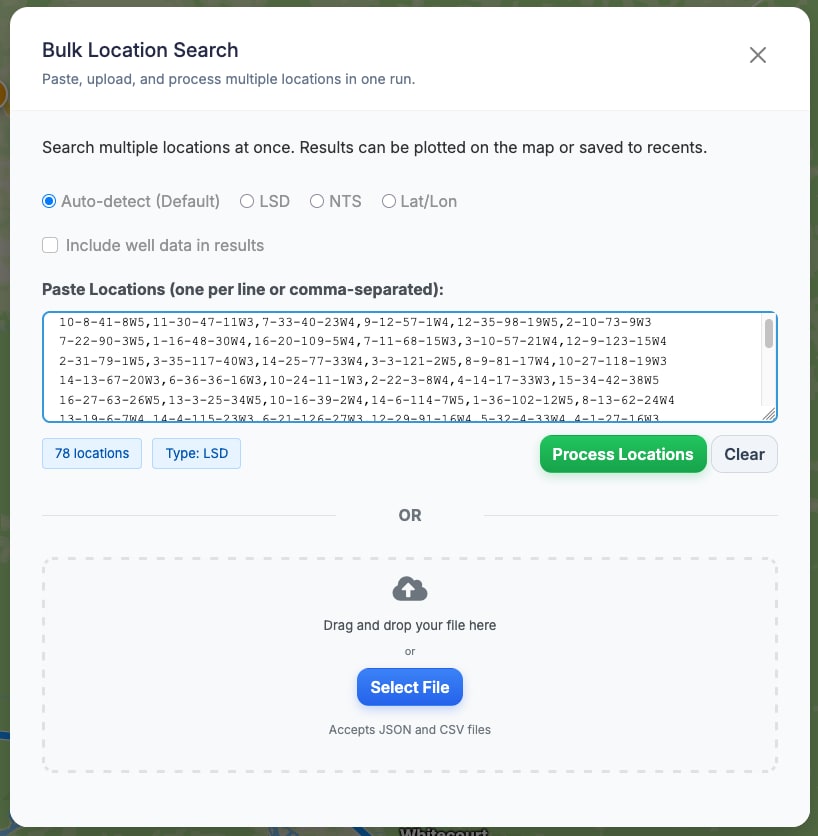
Coordinate crews with consistent route handoff, bulk location processing, and route-ready outputs that can be shared quickly.

This supports tighter dispatch cycles when assignments shift through the day and route updates need to be sent immediately.

Field Operators

Navigate remote oilfield roads with clearer route context, location history, and practical direction formats for daily use.

Drivers can focus on execution in the field while still receiving context from office-prepared route plans.

Operational Value

Why Oilfield Teams Use a Dedicated Navigation Toolkit

Oilfield operations create location complexity that generic mapping tools are not designed to handle. Teams often work with Legal Land Description references, NTS formats, temporary site directions, and custom location notes from multiple sources. OilTrails Navigation reduces friction by turning those inputs into a single operating workflow where lookup, route planning, and sharing happen in one place.

For office users, this means less time spent cleaning location data and fewer handoff gaps between dispatch instructions and what field crews actually see. For field users, it means less re-entry, fewer route misunderstandings, and clearer guidance when moving between remote job sites. A shared tool also improves accountability because route context is consistent across planning and execution.

The platform is also practical for scale. Teams can start with single-route planning, then move into project organization and bulk location processing as workloads grow. Because route and location context stay tied to projects, recurring operations become easier to repeat with fewer manual steps. This is especially valuable when crews rotate, service schedules shift, or multiple stakeholders need visibility into route planning.

Clear product framing helps new users understand exactly what the toolkit does before launch. That matters for adoption: clear expectations lead to faster first use, and faster first use usually leads to stronger day-to-day workflow fit.

Start Planning Oilfield Routes Smarter

Move from LSD and NTS lookup to route execution in one place. OilTrails Navigation is built to support day-to-day field operations across Alberta, Saskatchewan, and British Columbia.

If your team needs a practical mix of lookup speed, route clarity, and office-to-field coordination, this workflow is designed to reduce navigation friction without forcing users to jump between disconnected systems.