OilTrails 2.4.005: Patch Notes
A custom LSD and NTS picker, the latest GeoPics improvements, redesigned account access, and in-app Pro seat management make the field workflow easier from search to handoff.
July 30, 2026
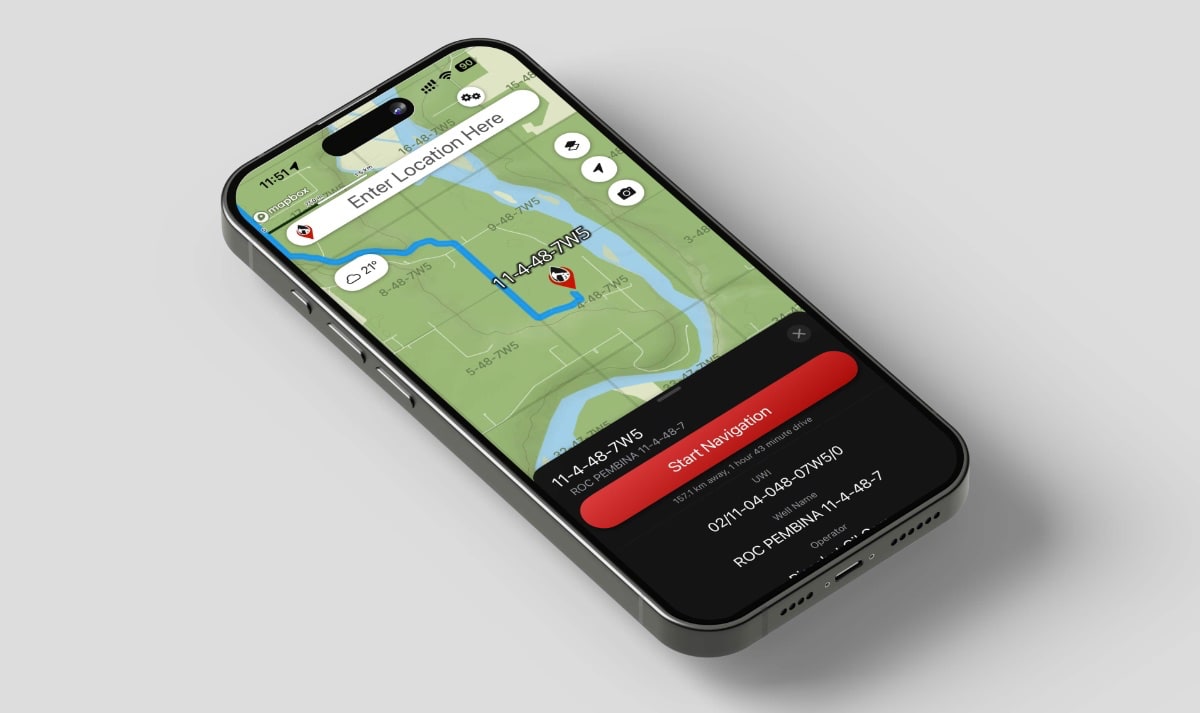
OilTrails 2.4.005 is a substantial update across several parts of the app.
It brings the latest GeoPics improvements into OilTrails, introduces a custom picker for LSD and NTS locations, redesigns login and account creation, and gives OilTrails Pro administrators a new way to manage team seats directly from the app.
OilTrails 2.4.005 introduces a faster and more capable GeoPics experience, a custom LSD and NTS location picker, redesigned account access, and new OilTrails Pro team-management tools.
OilTrails
Location Search
- Added a custom picker for entering LSD and NTS locations.
- Added an easy way to switch between LSD and NTS formats.
- Improved picker scrolling and keyboard compatibility on smaller devices.
- Improved NTS column sizing, alignment, and text fitting.
- Preserved picker selections when reopening the location picker.
- Improved query formatting and location-type detection.
Login and Account Creation
- Redesigned the OilTrails login and signup experience.
- Added clear Log In and Create Account modes.
- Added improved email and password validation.
- Added show and hide password controls.
- Improved forgot-password support.
- Added optional newsletter and promotional consent.
OilTrails Pro
OilTrails Pro is the new team-management subscription for OilTrails. It allows a single administrator to manage multiple team-member seats, including assigning, changing, and clearing access. All mobile features are included in the OilTrails Standard subscription, including the latest GeoPics improvements.
- Added in-app seat management for eligible OilTrails Pro administrators.
- Added purchased-seat capacity and assignment information.
- Added subscription renewal, cancellation, and expiry details.
- Added controls for assigning, changing, and clearing team-member seats.
- Added access to subscription management for purchasing additional seats.
- Improved confirmation messages for new seat assignments.
- Updated legacy “Business” terminology to OilTrails Pro.
- Users who lose Pro access are now directed to oiltrails.ca/pro.
- Lapsed App Store Standard subscribers continue to use the existing in-app subscription flow.
Stay Connected
Added a new Stay Connected section to Settings with:
- OilTrails on Facebook
- OilTrails on LinkedIn
- Native sharing using the universal OilTrails download link
- Newsletter signup
Account and Subscription Improvements
- Improved Standard, Pro administrator, and Pro seat status descriptions.
- Replaced direct account deletion with a reviewed account-deletion request process.
- Added a warning that deleting an OilTrails account does not cancel subscriptions.
- Added a 24-hour renewal grace period when a subscription is expected to renew but confirmation is temporarily delayed.
- Improved cached entitlement handling when connectivity is unavailable.
- Improved subscription refreshes and access-state updates.
- Added a consistent account and seat-management appearance across light and dark modes.
GeoPics
Gallery and Maps
- Improved gallery performance, indexing, paging, and thumbnail loading.
- Added a focused map for viewing the location of an individual GeoPic.
- Added directions to GeoPic locations using Apple Maps or Google Maps.
- Added the ability to open a GeoPic location directly on the main OilTrails map.
- Improved coordinate validation and handling of photos without valid GPS information.
Photo Export
- Added export-status badges throughout GeoPics.
- GeoPics now indicate whether a photo:
- Has not been exported
- Is current in Photos
- Has changed since it was last exported
- Added an option to export only new and changed GeoPics.
- Added an option to export all selected GeoPics again.
- Added support for organizing exports in a dedicated GeoPics Photos album.
- Added clearer export results, warnings, permission messages, and retry options.
- Added protection against duplicate or overlapping exports.
Comments
- Added an optional setting to automatically export a GeoPic after a comment is added or changed.
- Added camera-session comments, allowing one comment to be applied to every photo captured during a session.
- Improved comment update reliability and export handling.
Camera
- Added volume-button photo capture on supported iOS versions.
- Added a landscape camera tip introducing the hardware shutter feature.
- Added clearer capture-button states for ready, processing, and unavailable conditions.
- Prevented overlapping capture requests.
- Improved handling when closing the camera while photos are still being saved.
- Improved capture ordering, failure reporting, and camera-session tracking.
Additional Improvements
- Added clearer error, permission, success, and retry messaging throughout the updated features.
- Improved accessibility labels and controls.
- Expanded automated test coverage for login, newsletter signup, subscriptions, seat management, GeoPics, and location entry.
- Includes additional reliability improvements and minor interface fixes.
As always, many of these improvements grew from the questions, feedback, and real-world workflows shared by OilTrails and GeoPics users. Please keep that feedback coming. It continues to shape where OilTrails goes next.
OilTrails is available on the App Store.