OilTrails Pro for Teams
Centralized billing and flexible access for crews that change.
August 12, 2026
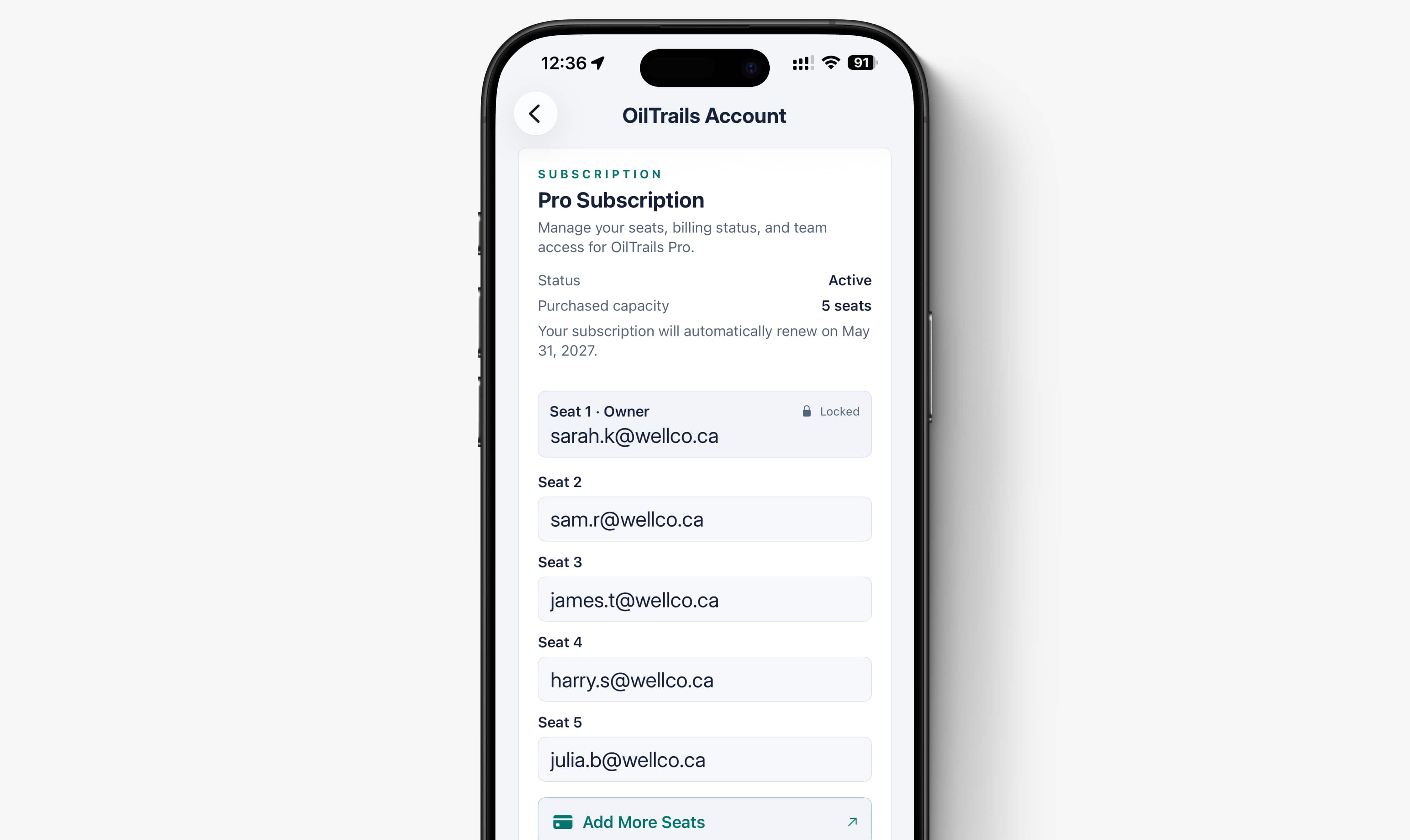
Crew lists change. A driver finishes a project, a relief operator comes in, or a dispatcher needs temporary access during a busy week. Company software needs to keep up without creating another round of subscription purchases, cancellations, and reimbursements.
OilTrails Pro for Teams puts access under one company-managed subscription. The administrator controls the seats, team members use their own accounts, and billing stays in one place.
Access That Belongs to the Company
With individual subscriptions, each worker has to purchase and maintain their own access. That can leave an administrator tracking receipts, expired cards, and accounts that are still active after someone has moved to another project.
Pro uses a per-seat model. The administrator chooses the number of seats and assigns each one using the team member’s email address. Every user signs in with their own OilTrails account, so there is no shared company password to distribute or recover.
When the roster changes, the administrator can add, remove, or reassign access. Seats can be managed through the OilTrails account area on the web or directly from User Settings in the iOS and Android apps.
A Crew Change Takes Minutes
Consider a service company with eight OilTrails Pro seats. Two are assigned to office staff who prepare routes and six are assigned to field operators.
On Thursday afternoon, one operator finishes a hitch and a replacement is scheduled for the next morning. The administrator opens User Settings in the OilTrails mobile app, removes the previous assignment, and assigns the seat to the replacement’s email address. The change is immediate.
The replacement signs in with their own OilTrails account and has the company-provided Pro access they need. There is no subscription to purchase, no shared login, and no delay while someone at the office gets back to a computer.
The same approach works when a company adds another driver, brings in seasonal workers, or moves people between projects. If the number of users grows or falls, the administrator can adjust the number of seats so access and billing continue to match the crew.
One Bill Instead of Several Subscriptions
Centralized billing gives the company a clear view of what it is paying for and who has access.
Rather than reimbursing separate app subscriptions or relying on workers to maintain them, the company manages its Pro seats together. Pro is priced per seat, with volume pricing available for larger teams.
Companies moving from subscriptions purchased through Apple or Google should contact OilTrails before making changes. App Store and Google Play subscriptions do not support multi-seat team billing, and the OilTrails team can help plan the move to a company-managed Pro account.
Planning Tools for the Office and the Field
Team management is only part of OilTrails Pro. The plan also includes advanced browser tools for dispatchers, coordinators, supervisors, and anyone preparing work before a truck leaves the yard.
Pro users can:
- Build routes with up to 10 waypoints and reorder stops as plans change
- Review available weather and road-surface information during route preparation
- Organize saved locations and routes into Collections
- Process lists of LSD, NTS, and coordinate locations with Bulk Search
- Print directions or export route details as a PDF
- Create QR handoffs for drivers
- Use LSD and NTS grid overlays with satellite and terrain maps
- Back up GeoPics to the cloud for web access and team sharing
Pro also includes the mobile features available with OilTrails Standard, including turn-by-turn navigation, offline LSD and NTS lookup, well data, lease-specific weather, and route syncing between the web and mobile apps.
This lets an office user prepare and share the work from a larger browser screen while the assigned driver uses OilTrails on their phone in the field.
OilTrails provides planning information and route context, but it does not guarantee current road conditions or site access. Drivers should continue to follow current field information, company procedures, and their own judgment.
When Pro Fits the Team
OilTrails Pro is a good fit when the company needs to control access, keep billing together, and connect office planning with mobile field use. It can support a small service crew with changing assignments or a larger operation with dispatchers, supervisors, and multiple field users.
Learn more about team access and planning tools on the OilTrails Pro page, or review current per-seat rates and compare plans on the OilTrails pricing page.